Merlin Bird ID by Cornell Lab is a free education and reference app developed by Cornell Lab of Ornithology. With a user-friendly interface that guides you through questions about the size, color, and environment of your sightings, this application enables the identification of over 1,500 birds in its database.
Merlin Bird ID provides four engaging methods for bird identification. Simply provide some information about the bird you want to identify, and this tool will generate a list of potential matches. For bird watchers of all skill levels, this tool provides prompt identification assistance to enhance your knowledge of birds.
Packed with valuable features
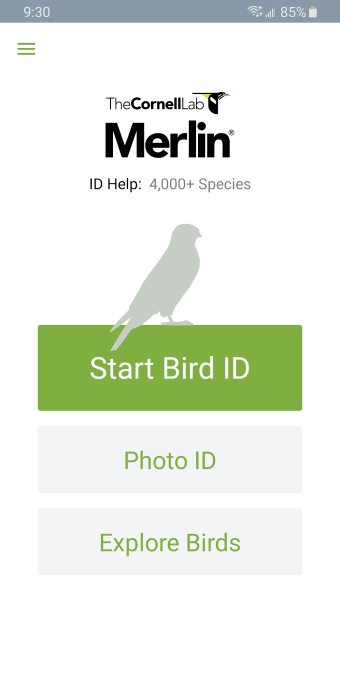
Merlin Bird ID enables you to recognize birds by their appearance and sound. Unlike other apps, Merlin uses eBird—the world's largest database of bird sightings, sounds, and photos—as its source. Upon launching the app, you can select your preferred bird identification method by clicking on one of the following options—Start Bird ID, Get Photo ID, or Explore Birds.
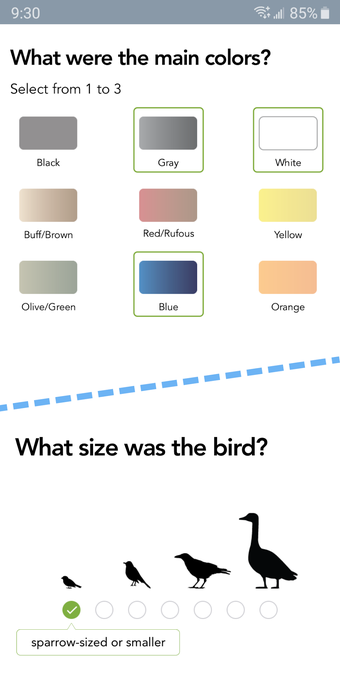
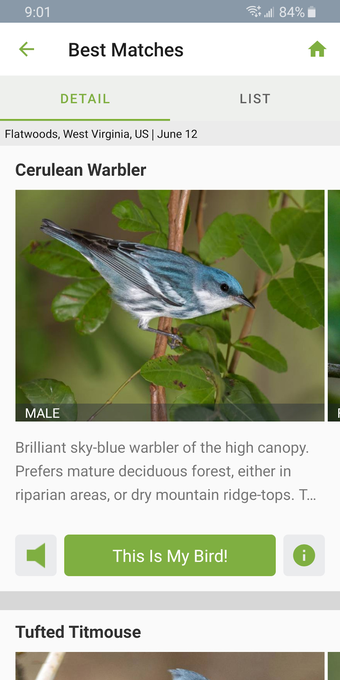
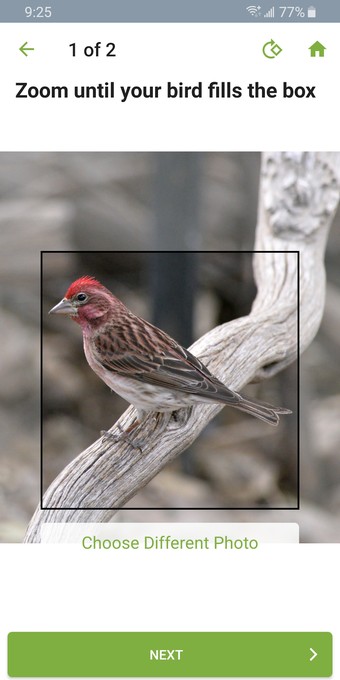
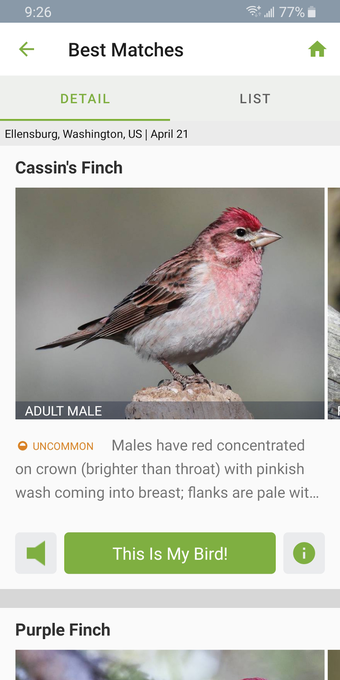
Opting for Start Bird ID prompts the application to request your location, the date of your sighting, and additional details about the bird. It subsequently presents a list of birds, complete with photo descriptions and options to listen to bird songs or view further information. While the Photo ID method can be quite challenging in practice to capture a clear photo of a bird, that allows for easy recognition.
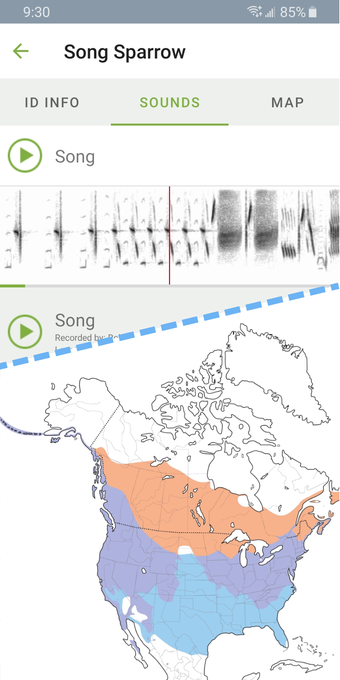
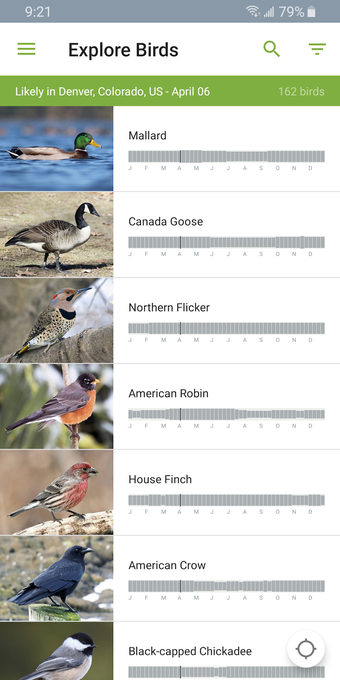
Furthermore, this platform provides an Explore Birds option for those who wish to examine or search for specific types of birds they may already be familiar with. Utilizing research data from a dedicated institution to study birds, this app boasts exceptional photos, songs, habitat maps, and descriptions. However, there is a known issue where the app occasionally crashes during the recording process and becomes unresponsive.
Simple methods for identifying birds
Merlin Bird ID is an app that helps identify over 1,500 birds by guiding users through questions about the bird's appearance and environment. The app offers four simple methods for bird identification, including Start Bird ID, Get Photo ID, and Explore Birds. It also uses eBird, a database that contains bird photos, sightings, and sounds, as its source. However, the app may occasionally crash during the recording process.

Before downloading, you can take a quick look at the permissions this app may request on your device. App permissions allow certain features to work properly, such as accessing your camera to take photos, your location for maps, or your storage to save files.

In this section, you’ll find a clear and simple overview of the types of permissions the app uses, grouped by their level of sensitivity, along with a visual breakdown to help you understand them at a glance. This way, you can see how the app interacts with your device and decide to download with confidence.

Permissions types
Standard
34%
Non-standard
17%
Sensitive
48%
Permissions distribution
Privacy
21%
Data collected
45%
Data shared
34%
Data safety info
Privacy
6 permissions
Permissions that allow the app to access personal or sensitive information stored on your device, such as location, contacts, camera, or microphone.
android.permission.RECEIVE_BOOT_COMPLETED
Standard
android.permission.GET_ACCOUNTS
Sensitive
android.permission.WAKE_LOCK
Standard
android.permission.READ_PHONE_STATE
Sensitive
android.permission.WRITE_SETTINGS
Non-standard
android.permission.FOREGROUND_SERVICE
Standard
Data collected
13 permissions
Information the app may gather from your device or usage activity to enable features, personalize content, and improve overall performance.
android.permission.ACCESS_NETWORK_STATE
Standard
android.permission.ACCESS_MEDIA_LOCATION
Sensitive
android.permission.READ_EXTERNAL_STORAGE
Sensitive
android.permission.ACCESS_FINE_LOCATION
Sensitive
android.permission.ACCESS_WIFI_STATE
Standard
android.permission.READ_BASIC_PHONE_STATE
Sensitive
android.permission.FOREGROUND_SERVICE_LOCATION
Non-standard
android.permission.RECORD_AUDIO
Sensitive
android.permission.FOREGROUND_SERVICE_MICROPHONE
Non-standard
android.permission.ACCESS_COARSE_LOCATION
Sensitive
android.permission.READ_MEDIA_IMAGES
Sensitive
android.permission.BLUETOOTH_SCAN
Sensitive
android.permission.READ_MEDIA_VIDEO
Sensitive
Data shared
10 permissions
Information that may be shared with trusted third parties to provide services, support app functionality, or deliver relevant content.
This report summarises the permissions declared by the app at the time of scanning and groups them into Privacy, Data collected and Data shared. A declared permission shows what the app can access, it does not necessarily mean personal data is collected or transmitted. For full details check the app’s privacy policy and the developer’s clarifications shown below. Softonic generates this report automatically from the package metadata; it is informational and not a substitute for a full security or privacy audit.
Laws concerning the use of this software vary from country to country. We do not encourage or condone the use of this program if it is in violation of these laws. Softonic may receive a referral fee if you click or buy any of the products featured here.